NocoDB Cloud
Instantly turn your Database into a No-Code Platform
What is NocoDB Cloud?
Try NocoDB CloudNocoDB Cloud is a no-code platform that turns your database into an online application and workflow environment. You can build spreadsheet-style apps with different layouts and views, and you can connect to existing databases to work with your data. It also provides API access for building custom workflows on top of your database.
What does NocoDB Cloud do for your data?
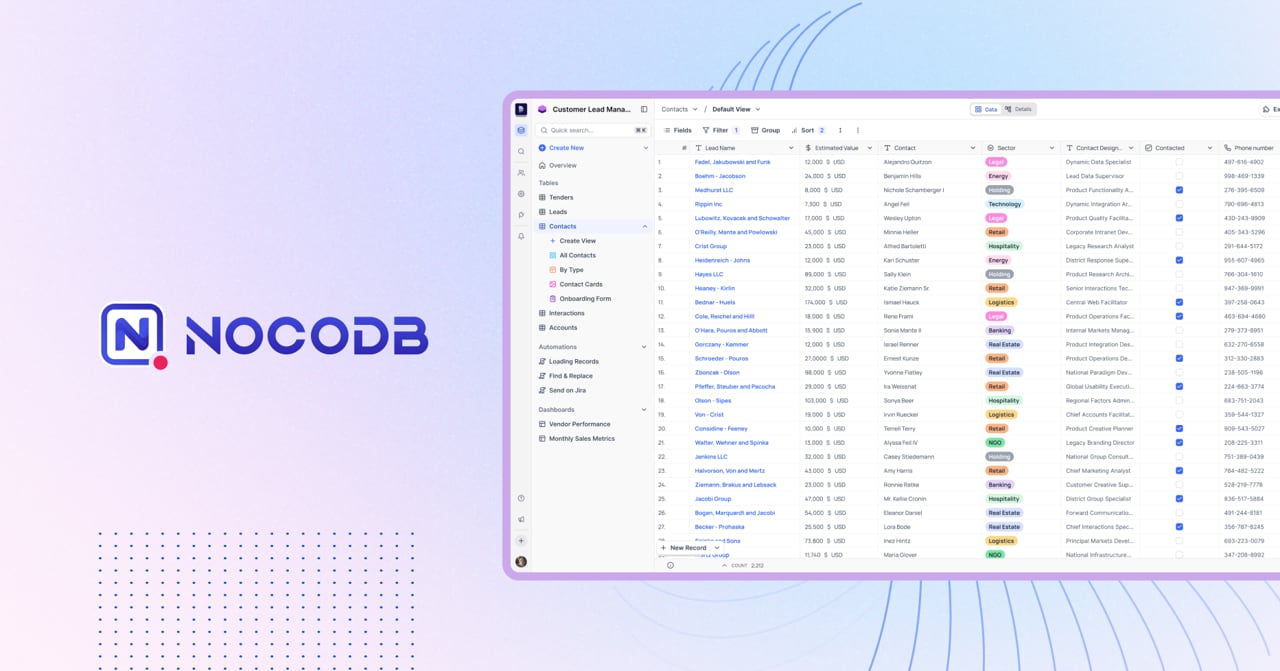
NocoDB Cloud helps you transform your database tables into interactive no-code online apps and workflows. You can present and work with your data in a spreadsheet-like workspace and choose different UI layouts such as Kanban, Gallery, Forms, and Calendar.
Can I use templates instead of starting from scratch?
Yes. NocoDB Cloud offers templates for common use cases so you can get started faster, and you can also build your own database structure if you prefer to begin from the ground up.
Does NocoDB Cloud support connecting to an existing Postgres or MySQL database?
Yes. You can bring your own Postgres or MySQL database, so you can work with existing data and structure rather than recreating everything.
What kinds of views and page layouts can I build?
You can create multiple view formats like grid, Kanban, gallery, form, and calendar. You can also build pages such as tables, dashboards, form pages, and record detail pages, with support for drafts and publishing and page-level access control.
Is NocoDB Cloud built for no-code users, and how do you get started?
It’s designed around a spreadsheet-like interface for building apps on top of your data. If you want a faster start, templates are available so you don’t have to manually set up everything before building your interfaces and workflows.
Which API versions are available, and are older ones being deprecated?
NocoDB Cloud provides Meta APIs (v3) and Data APIs (v3). It also lists Meta APIs v2 and Data APIs v2, which are marked as will deprecate soon.
What views and page layouts can I create with NocoDB Cloud?
You can create multiple view formats such as grid, Kanban, gallery, form, and calendar. NocoDB Cloud also supports building table, dashboard, form, and record detail pages with drafts and publishing, plus page-level access control.
Does NocoDB Cloud offer automation and API/webhook integrations?
Yes. NocoDB Cloud includes automations and webhooks, and it provides API access (with API calls measured per plan) so you can connect your database workflows to other tools.
Is NocoDB Cloud suitable for non-developers and how easy is it to set up?
If you want a no-code approach, NocoDB Cloud is designed around a spreadsheet-like interface for building apps on top of your data. You can also use templates to get started quickly instead of only building tables and views manually.